At first glance this seems simple — but experts approach it very differently.
Choosing Your Next Printer: The Real Talk from Someone Who Knows
Alright, let’s cut through the noise. Buying a printer feels like navigating a minefield these days, doesn’t it? Every brochure screams “revolutionary!” and every salesperson has a spiel ready. But honestly, most of it is just marketing fluff designed to get you to open your wallet. I’ve been in this game long enough to see trends come and go, and trust me, the fundamentals haven’t changed much.
My goal here isn’t to sell you a specific brand or model. It’s to arm you with the unvarnished truth, the kind of insight you only get from dealing with these machines day in and day out. We’re going to talk about what *really* matters, what to ignore, and how to make a choice that won’t have you pulling your hair out or emptying your bank account on ink cartridges a month from now. So, grab a coffee, and let’s get real about printers.
Inkjet vs. Laser: The Eternal Showdown (And Who Wins)
This is where most people start, and rightly so. It’s the core decision. But don’t just think “cheap upfront” or “fast.” Think about your actual usage.
Inkjet Printers: The Photo King, The Cost Villain
Look, if you’re printing vibrant, high-resolution photos, especially on specialty paper, an inkjet is your only real option. Period. The way they spray microscopic droplets of ink allows for incredibly detailed color blending and smooth gradients that lasers simply can’t replicate. They’re also generally cheaper to buy upfront, which is a big draw for many home users.
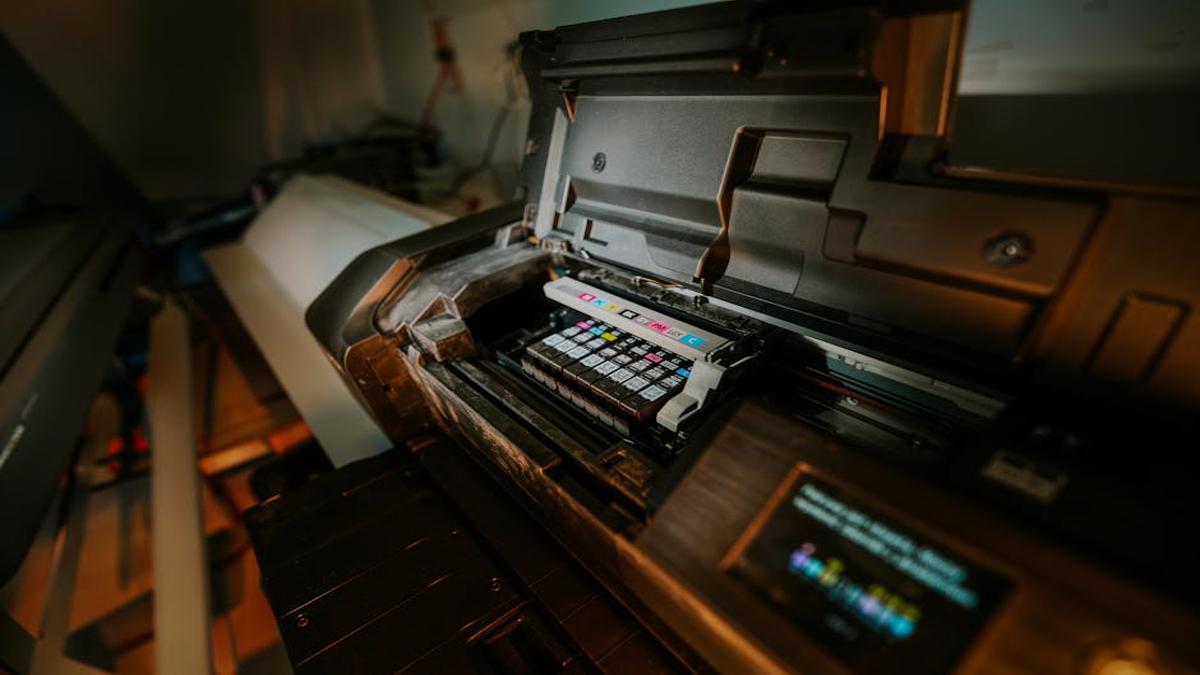
But here’s the kicker: Ink. It’s the most expensive liquid on earth, and inkjets are notorious for gobbling it up. Even if you don’t print often, those tiny nozzles can clog, forcing cleaning cycles that drain even more ink. And don’t get me started on “starter cartridges” that are practically empty out of the box. If you do a lot of text printing, an inkjet will bleed you dry in replacement cartridges. They’re also usually slower and noisier than their laser counterparts. Naming Your Startup: Tips for Choosing a Memorable and Brandable Business Name
Laser Printers: The Speed Demon, The Text Master Navigating Contract Law: A Business Owner’s Guide to Legal Agreements
For sheer volume, speed, and crisp, consistent text, laser is the undisputed champion. If you’re running a home office, a small business, or just print reams of documents, you simply can’t beat a laser printer. They use toner – a dry powder – which means no clogs, no smudges, and significantly lower cost per page over the long run. A toner cartridge lasts *ages* compared to an ink cartridge. Setting Up Your Startup’s Finances: A Beginner’s Guide to Budgeting and Accounting
The downside? Color photos. While color laser printers exist, they are generally pricier, bulkier, and the photo quality, while decent for graphics and charts, doesn’t hold a candle to a good inkjet for realistic images. Initial cost for a laser printer tends to be higher, and they’re usually larger, so factor in the desk space.
My Take: If your life involves vibrant photos and occasional light printing, stick with a good inkjet, but brace for ink costs. If it’s 90% documents, reports, and anything where speed and cost-efficiency per page are paramount, go laser and don’t look back. Seriously. Your wallet will thank you.
The All-in-One Conundrum: Convenience vs. Compromise
Ah, the “all-in-one” or “multifunction printer” (MFP). On paper, they sound fantastic: print, scan, copy, and sometimes fax, all in one compact unit. For many homes and small offices, the appeal is undeniable – less clutter, fewer power outlets needed.
However, let’s be realistic. These are often a master of none. The scanner might be slow or have mediocre resolution, the copier might be clunky, and if any single component breaks, you’ve essentially lost four functions at once. My primary gripe is that you’re relying on a single piece of hardware for multiple critical tasks. If that print head dies, you can’t even scan that important document you need to email. It’s a single point of failure.
My Take: For light, occasional use in a space-constrained environment, an all-in-one makes sense. But if you rely heavily on *any* of those functions – heavy scanning, large volume copying, or printing mission-critical documents – consider separate, dedicated devices. A standalone scanner, for instance, will almost always outperform an MFP’s scanning capabilities.
Beyond the Hype: What You *Really* Need to Look For
Once you’ve decided on inkjet/laser and whether an all-in-one fits your needs, the real granular stuff comes into play. Don’t gloss over these points; they’ll save you headaches and cash down the line.
- Running Costs (The Big One): This is arguably the most critical factor. The upfront price of the printer is often a smokescreen. What do the replacement ink or toner cartridges *actually* cost? And how many pages do they yield? Divide the cartridge price by the estimated page yield to get your cost per page. This number tells the true story. Some brands deliberately sell cheap printers knowing they’ll make their profit on exorbitant cartridge prices. Don’t fall for it.
- Connectivity: Wi-Fi is practically standard now, but ensure it’s reliable. Do you need Ethernet for a stable network connection? USB for direct connection? What about mobile printing apps (AirPrint, Mopria, proprietary apps)? If you print a lot from your phone or tablet, test these capabilities if possible.
- Print Speed (PPM): Pages Per Minute. If you’re printing 5-page documents once a week, it’s irrelevant. If you’re churning out 50-page reports daily, it matters a lot. Look at both black-and-white and color PPM figures.
- Automatic Duplex Printing: This means the printer automatically prints on both sides of the paper without you having to manually flip and re-feed. It’s a massive paper-saver and a time-saver. For anyone printing more than a few pages a week, it’s practically a non-negotiable feature in my book.
- Paper Handling: How many sheets does the input tray hold? Do you frequently print on different paper sizes or types (cardstock, envelopes, photo paper)? Some printers have specialty trays or bypass feeders for this. A high-capacity tray means less frequent refilling.
- Print Quality (DPI): Dots Per Inch. Higher DPI generally means sharper images and text. For text, most modern printers are perfectly adequate. For photos, especially large prints, higher DPI matters. But remember, a good inkjet with lower stated DPI might still produce better photos than a laser with higher DPI due to the fundamental technology. Trust your eyes if you can see samples.
- Brand Reputation and Support: Drivers, firmware updates, customer service. Some brands are notorious for buggy software or abandoning older models. A reliable brand with good support can save you future frustration.
Final Thoughts: Your Printer, Your Rules
Ultimately, the “best” printer isn’t some mythical, perfect machine. It’s the one that best suits *your* specific needs and budget, both upfront and long-term. Be honest with yourself about your printing habits. Are you a heavy text user? A casual photo enthusiast? Do you need speed, or is cost-per-page king?
Ignore the flash. Focus on the running costs, the features you genuinely need (like duplexing!), and the type of printing you’ll actually be doing. A little research now will save you a world of frustration and unexpected expenses down the road. Go forth and print wisely!