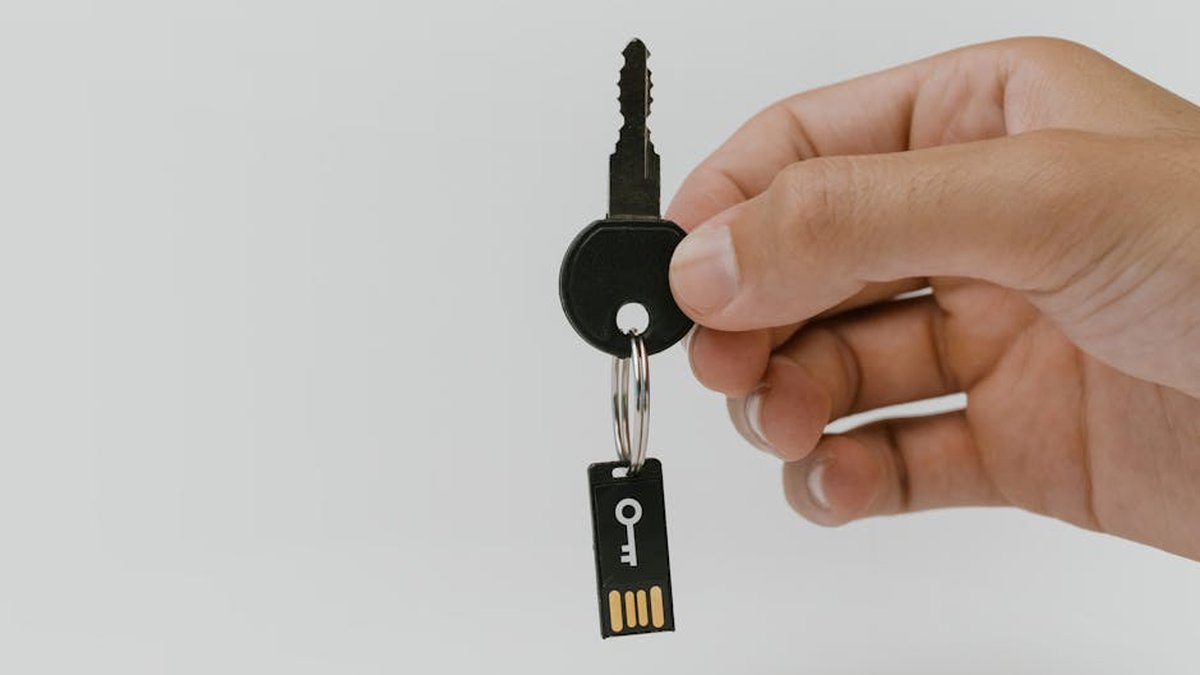
Introduction: Reclaiming Digital Sovereignty at Your Front Door
In an era dominated by pervasive cloud-connected devices, the smart doorbell market often presents a dilemma between convenience and personal privacy. Traditional smart doorbells frequently rely on subscription-based cloud storage for video recordings, raising concerns about data ownership, potential security breaches, and ongoing costs. This analysis focuses on a critical segment of the market: smart doorbells equipped with local storage options. By emphasizing on-device or local network storage, these products offer an enhanced layer of privacy and security, allowing users greater control over their video data and reducing dependency on third-party cloud infrastructure. We delve into key specifications, performance metrics, and practical implications for users prioritizing data autonomy.
Product Overview: The Landscape of Secure Front-Door Monitoring
Smart doorbells with local storage are designed to record video footage directly onto an internal memory card (e.g., microSD), a dedicated hub, or a Network Attached Storage (NAS) device. This architectural choice fundamentally alters the data flow, keeping sensitive visual information within the user’s home network rather than transmitting it exclusively to remote servers. This review evaluates products that demonstrably prioritize this local storage capability as a primary feature, moving beyond mere supplementary local caching.
Key Features for Privacy-Focused Smart Doorbells
- On-Device Storage: Direct recording to an integrated microSD card slot. This is the most common and accessible form of local storage.
- Local Hub Integration: Some systems utilize a central hub or base station with integrated storage (e.g., eMMC or hard drive), offering greater capacity and potentially more robust security features.
- NAS/RTSP Support: Advanced options allow streaming video directly to a local Network Attached Storage (NAS) device or via Real-Time Streaming Protocol (RTSP) for integration with home security systems.
- Edge AI Processing: Performing motion detection, person identification, and package detection locally on the device, reducing the need to send video data to the cloud for analysis.
- End-to-End Encryption: While data is local, encryption during transmission to local viewing apps or optional cloud backups is paramount.
- Power Source Flexibility: Options like wired (for continuous power and often better network stability) and battery-powered (for easier installation) impact features and reliability.
- Resolution & Field of View: High-definition video (10080p, 2K, 4K) and wide-angle lenses ensure clear, comprehensive coverage.
- Two-Way Audio & Chime Options: Essential communication features and reliable indoor chime integration.
Comparative Analysis: Leading Local Storage Smart Doorbells
| Feature | Guardian Bell Pro (Wired) | Sentinel View (Wired/Battery Hybrid) | VeriSec Home (Wired with Hub) |
|---|---|---|---|
| Local Storage Type | MicroSD (Up to 256GB), RTSP/ONVIF to NAS | MicroSD (Up to 128GB) | Dedicated Hub (1TB HDD), RTSP |
| Cloud Option | Optional (Subscription for extended history) | Optional (Subscription for extended history/AI) | Optional (Premium subscription for off-site backup) |
| Power Source | Wired (16-24VAC) | Wired (16-24VAC) or Battery (6 months est.) | Wired (16-24VAC) |
| Resolution | 2K (2560×1440) HDR | 1080p (1920×1080) HDR | 2K (2560×1920) |
| Field of View | 160° Diagonal, 120° Vertical | 140° Diagonal | 180° Diagonal, 1:1 Aspect Ratio |
| AI Features (Local) | Person Detection, Package Detection | Basic Motion Detection, Person Detection (on device) | Advanced Person/Vehicle/Pet Detection, Facial Recognition (on hub) |
| Two-Way Audio | Full-Duplex, Noise Cancellation | Half-Duplex | Full-Duplex, Echo Cancellation |
| Night Vision | IR LED (up to 20ft), Color Night Vision via Spotlight | IR LED (up to 15ft) | IR LED (up to 25ft) |
| Connectivity | 2.4GHz/5GHz Wi-Fi | 2.4GHz Wi-Fi | 2.4GHz/5GHz Wi-Fi (Hub requires Ethernet) |
| Estimated Price Range | $180 – $250 | $100 – $160 | $350 – $450 (includes Hub) |
Product Deep Dive and Analysis
Guardian Bell Pro (Wired)
The Guardian Bell Pro positions itself as a robust, wired solution for users demanding high resolution and versatile local storage. Its ability to record directly to a large microSD card and simultaneously stream via RTSP/ONVIF to a NAS offers unparalleled data control and integration with existing home security systems.
Pros:
- Dual-path local storage options (microSD and NAS/RTSP) maximize data redundancy and control.
- 2K HDR video provides excellent image clarity, especially for facial recognition and package details.
- Dual-band Wi-Fi (2.4/5GHz) offers more stable and faster connectivity.
- Advanced local AI (person, package detection) minimizes false alerts and cloud dependency.
- Color night vision via integrated spotlight enhances low-light visibility.
Cons:
- Requires existing doorbell wiring for installation; not suitable for battery-only setups.
- Higher price point compared to entry-level local storage options.
- Initial setup for NAS/RTSP can be complex for novice users.
Who Should Buy:
Tech-savvy users, homeowners with existing doorbell wiring, those with a NAS setup, or individuals requiring maximum local storage flexibility and high-resolution recording for detailed surveillance. DJI Mini 4 Pro vs.
Who Should Avoid:
Renters, users without existing doorbell wiring, or those seeking a simple, low-cost battery-powered solution with minimal setup. Ultra-Wide Monitors for Professional Video
Pricing Insight:
Positions itself in the upper-mid range for smart doorbells, justifiable by its advanced local storage capabilities and high-quality optics. Expect to pay between $180 and $250, excluding the cost of a microSD card. Gaming Headsets with Immersive Surround
Alternatives:
Specific models from brands like Amcrest, Reolink, or certain Eufy wired doorbells offering similar microSD/RTSP functionality. Smart Thermostats with Geofencing for
Sentinel View (Wired/Battery Hybrid)
The Sentinel View offers a compelling balance of local storage, installation flexibility, and affordability. Its hybrid power option makes it accessible to a wider range of users, while still prioritizing on-device microSD recording to keep data local.
Pros:
- Flexible power options (wired or battery) cater to diverse installation scenarios.
- Affordable entry point for local storage functionality.
- Compact design and relatively easy installation.
- Basic on-device person detection is a valuable local AI feature at this price point.
Cons:
- 1080p resolution is adequate but not as detailed as 2K or 4K options.
- Battery life, while respectable, necessitates periodic recharging or wired connection for continuous power.
- Limited to 2.4GHz Wi-Fi, which can be more susceptible to interference in dense environments.
- Half-duplex audio can make conversations feel less natural.
Who Should Buy:
Users seeking an affordable smart doorbell with local storage, individuals needing battery-powered flexibility, renters, or those prioritizing ease of installation over advanced features. Sony WH-1000XM5 vs. Bose QuietComfort
Who Should Avoid:
Users requiring the highest video resolution, comprehensive local AI capabilities, or seamless integration with complex home automation systems.
Pricing Insight:
Highly competitive in the budget-to-mid-range segment, typically found between $100 and $160. This makes it an excellent value proposition for local storage.
Alternatives:
Other battery-powered options from Eufy (specifically certain models), or entry-level Wyze doorbells if local caching is sufficient.
VeriSec Home (Wired with Hub)
The VeriSec Home system targets users who desire robust local storage capabilities, advanced AI, and a centralized management system. Its reliance on a dedicated hub with substantial internal storage offloads processing and storage from the doorbell itself, providing a more comprehensive and scalable solution.
Pros:
- Dedicated 1TB hub offers extensive local storage capacity for multiple devices over a long period.
- Advanced AI features (facial recognition, pet detection) are processed on the hub, ensuring privacy and reducing cloud dependency.
- Wide 180° field of view with a 1:1 aspect ratio provides a head-to-toe view of visitors and packages.
- Centralized management via the hub simplifies system configuration and data access.
- Robust security features often include local data encryption on the hub.
Cons:
- Significantly higher initial investment due to the inclusion of the hub.
- Requires installation of both the wired doorbell and the hub (which needs an Ethernet connection).
- Not a standalone doorbell solution; dependency on the hub.
- Can be overkill for users needing only a single doorbell and minimal storage.
Who Should Buy:
Homeowners building a comprehensive local security ecosystem, users demanding advanced AI and maximum storage without recurring cloud fees, or those prioritizing a centralized, robust local surveillance system.
Who Should Avoid:
Budget-conscious buyers, renters, users seeking a simple plug-and-play doorbell, or those who do not wish to manage a separate hub device.
Pricing Insight:
Occupies the premium segment due to the bundled hub and advanced features. Expect a price range of $350 to $450 for the starter kit (doorbell + hub).
Alternatives:
Full security systems with integrated doorbell cameras from brands like Arlo (with local hub recording), UniFi Protect, or more enthusiast-grade DIY solutions.
Buying Guide: Navigating the Local Storage Landscape
- Assess Your Power Source: Do you have existing doorbell wiring (16-24VAC) or do you need a battery-powered solution? Wired options generally offer more features and reliability.
- Determine Storage Needs: How much footage do you need to retain locally? Consider microSD capacity (128GB, 256GB), or if a dedicated hub/NAS integration is necessary for larger volumes.
- Prioritize Resolution: For clear identification and detail, 2K (1440p) is a strong recommendation. 1080p is acceptable for general monitoring.
- Evaluate AI Capabilities: Local AI for person/package detection reduces false alerts and maintains privacy by processing data on-device. Ensure these features are indeed processed locally, not in the cloud.
- Consider Connectivity: Dual-band Wi-Fi (2.4/5GHz) often provides better performance, especially in congested network environments.
- Installation Complexity: Some wired doorbells require basic electrical knowledge, while battery models are typically simpler. Hub-based systems add another component to set up.
- Ecosystem Integration: If you have other smart home devices, check if the doorbell can integrate locally (e.g., Home Assistant, SmartThings) without relying on external cloud services.
- Review Manufacturer’s Privacy Policy: Even with local storage, check how the manufacturer handles account data, app data, and any optional cloud services.
Conclusion: Empowering Your Home Security with Privacy
The market for smart doorbells with local storage is maturing, offering viable alternatives to purely cloud-dependent solutions. For the privacy-conscious consumer, the ability to retain video footage entirely or primarily within their home network represents a significant advantage. Products like the Guardian Bell Pro excel in providing advanced wired capabilities and versatile local storage options, while the Sentinel View offers an accessible entry point with crucial battery flexibility. The VeriSec Home caters to the high-end, multi-camera, centralized local storage system. When making a selection, a critical assessment of power infrastructure, desired storage capacity, and local AI processing capabilities will guide users towards a solution that not only secures their front door but also respects their digital autonomy.
No Guarantees: The information provided in this review is for informational purposes only and is based on publicly available data, product specifications, and general market analysis at the time of writing. Product features, specifications, pricing, and availability are subject to change by manufacturers without notice. Individual user experiences may vary based on installation, network environment, firmware versions, and usage patterns. We do not guarantee the accuracy, completeness, or reliability of any information presented herein, nor do we endorse any specific product. Readers are strongly advised to conduct their own research, consult official product documentation, and read recent user reviews before making any purchasing decisions.
Related Articles
- DJI Mini 4 Pro vs. Autel EVO Nano+: Sub-250g Drone Photography Comparison
- Ultra-Wide Monitors for Professional Video Editors: Aspect Ratios and Color Accuracy
- Gaming Headsets with Immersive Surround Sound for Competitive FPS Players
- Smart Thermostats with Geofencing for Energy Savings in US Homes
- Sony WH-1000XM5 vs. Bose QuietComfort Ultra Headphones: Noise Cancellation and Sound Quality Battle
Why should I prioritize a smart doorbell with local storage over cloud-only options, especially concerning privacy?
Prioritizing a smart doorbell with local storage gives you direct control over your video footage, significantly enhancing privacy by reducing reliance on third-party cloud servers. This means your sensitive recordings are stored directly on your property (e.g., SD card, internal memory, or a local hub), minimizing the risk of data breaches, unauthorized access, or the need to trust a company’s fluctuating privacy policies. It also ensures access to footage even during internet outages and often helps you avoid recurring subscription fees common with cloud-only models.
How secure is the local storage on these smart doorbells, and what measures are in place to protect my footage if the device is stolen?
The security of local storage varies by model. When making a decision, look for doorbells that encrypt footage stored on SD cards or internal memory. While a stolen device means the physical storage is gone, many advanced systems include features like immediate uploads of critical events to a *secure, private cloud backup* (if you opt-in for such a hybrid solution) or the ability to remotely disable access to the device and its content once reported stolen. Some higher-end models pair the doorbell with a secure local hub inside your home, meaning the critical recordings remain safe even if the doorbell unit itself is physically compromised. Always ensure your home network itself is secure to prevent unauthorized local access.
Beyond just local storage, what other privacy-focused features should I look for when comparing smart doorbells?
In addition to local storage, when comparing models, prioritize doorbells offering customizable motion detection zones to avoid recording public spaces, and adjustable sensitivity to prevent unnecessary recordings. Look for options that support robust two-factor authentication (2FA) for app access, end-to-end encryption for any data transmitted (even locally), and clear, transparent privacy policies from the manufacturer. Some advanced models even offer “privacy modes” to temporarily disable recording or a physical lens cover for complete peace of mind when desired, giving you more control over what and when is recorded.
How easy is it to access and manage my locally stored video footage, and what are the limitations compared to cloud services?
Accessing locally stored footage typically involves using the doorbell’s companion app to stream/download directly from the device to your phone/tablet (assuming it’s on your local network or via a secure remote connection if configured), or in some cases, physically removing an SD card to view on a computer. While this offers greater privacy, potential limitations compared to cloud services include a finite storage capacity (requiring more manual management or deletion of older footage), potentially slower remote access speeds (as data streams directly from your home network rather than a distributed cloud server), and potentially less sophisticated search and event tagging features that cloud AI often provides. When deciding, ensure the app interface is intuitive for reviewing and exporting clips, fitting your personal convenience needs.