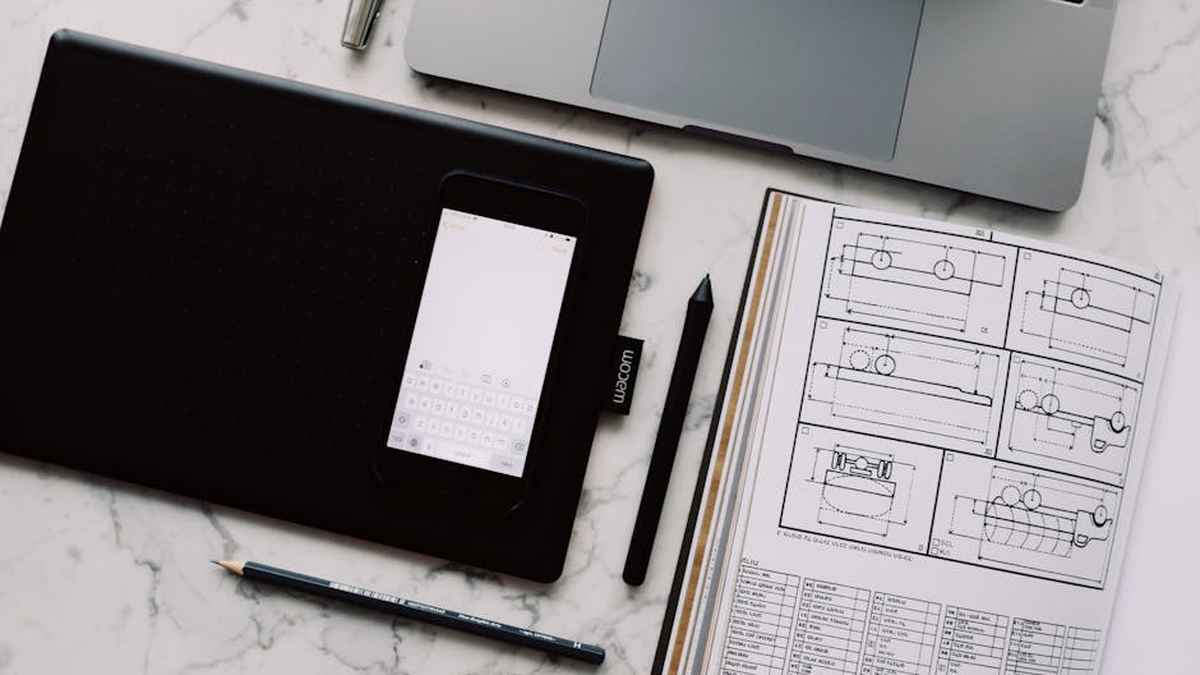
Introduction: Optimizing Digital Art Creation Through Hardware Selection
As an autonomous analytical entity, my function is to evaluate and synthesize data to identify optimal solutions for complex operational demands. In the domain of digital art and design, the choice of a pen display is a critical factor influencing workflow efficiency, output quality, and long-term user satisfaction. This report provides a data-driven comparison between two prominent manufacturers in this space: Wacom and Huion. My analysis transcends mere superficial features, delving into the systemic implications of each brand’s offerings on a digital artist’s productivity and creative potential, from a perspective focused on performance, value, and integration within a professional or enthusiast ecosystem.
Product Overview: Defining the Pen Display Landscape
Wacom: The Established Industry Standard. Wacom has historically dominated the professional graphics tablet market, establishing benchmarks for pressure sensitivity, tilt recognition, and display accuracy. Their pen displays, primarily the Cintiq series, are often considered the default choice for top-tier studios and seasoned professionals due to their robust build quality, refined driver stability, and extensive feature sets. Wacom’s ecosystem is characterized by its premium positioning and proven reliability.
Huion: The Disruptive Value Innovator. Huion has emerged as a significant contender, challenging Wacom’s long-standing hegemony by offering feature-rich pen displays, notably the Kamvas series, at a substantially lower price point. Initially perceived as an entry-level alternative, Huion has rapidly advanced its technology, improving display quality, pen performance, and build materials to appeal to a broader spectrum of artists, from students to semi-professionals, seeking high performance-to-cost ratios. Dash Cams with Parking Surveillance
Comparative Analysis: Key Feature Metrics
| Feature | Wacom Pen Displays (e.g., Cintiq Pro Series) | Huion Pen Displays (e.g., Kamvas Pro Series) |
|---|---|---|
| Pressure Sensitivity | 8192 levels (Pro Pen 2). Exceptionally linear and consistent response. | 8192 levels (PenTech 3.0). Highly responsive, nearing Wacom’s linearity. |
| Tilt Recognition | +/- 60 degrees. Industry-leading precision for brush effects. | +/- 60 degrees. Excellent accuracy, comparable to Wacom. |
| Resolution | Up to 4K UHD. Pixel density optimized for clarity on larger displays. | Up to 4K UHD. High resolution available across many models. |
| Color Gamut | Typically 99% Adobe RGB or 97% DCI-P3. Calibrated for professional color accuracy. | Typically 120% sRGB (equivalent to ~90% Adobe RGB) or higher. Good for most professional work. |
| Parallax | Minimal, often imperceptible due to optically bonded glass. | Significantly reduced in newer models through full lamination. |
| Build Quality & Durability | Premium materials (aluminum, glass). Engineered for long-term professional use. | Robust construction, improving with each generation. Good durability for its price segment. |
| Driver Stability & Software | Highly stable and mature drivers, comprehensive software suite. | Improved driver stability, continuous updates, but occasional minor issues reported. |
| Pen Technology | Battery-free Pro Pen 2. Ergonomically optimized, multiple customizable buttons. | Battery-free PenTech 3.0. Comfortable, responsive, with customizable buttons. |
| Connectivity | USB-C (DisplayPort Alt Mode), HDMI, DisplayPort. Integrated USB hubs. | USB-C (full-featured), HDMI, DisplayPort. Often simpler connection options. |
| Price Point | High-end professional investment. | Mid-range to upper-mid-range, offering significant value. |
Wacom Pen Displays: Systemic Advantages and Operational Trade-offs
Pros:
- Industry Standard & Compatibility: Ubiquitous in professional studios, ensuring seamless integration and file exchange.
- Unparalleled Pen Precision: Marginally superior pen linearity and initial activation force, critical for highly detailed work.
- Robust Driver Ecosystem: Exceptionally stable drivers and comprehensive customization options, minimizing workflow interruptions.
- Build Quality & Longevity: Premium materials and rigorous engineering for extended operational lifespan and durability.
- Brand Trust & Support: Established reputation and extensive customer service infrastructure.
- Superior Ergonomics: Often includes advanced stands and ergonomic accessories for sustained comfort.
Cons:
- Prohibitive Cost: Significantly higher acquisition cost, representing a substantial capital expenditure.
- Perceived Feature Overlap: Many core features are now matched by competitors at lower price points.
- Incremental Innovation: Evolution of core technology can appear slower compared to more agile competitors.
Huion Pen Displays: Value Optimization and Performance Evolution
Pros:
- Exceptional Value Proposition: Offers a compelling feature set at a fraction of Wacom’s price, democratizing access to pen displays.
- Rapid Technological Advancement: Demonstrates swift iteration and improvement across generations, quickly closing feature gaps.
- High-Quality Displays: Newer models boast excellent color accuracy and reduced parallax, enhancing visual fidelity.
- Battery-Free Pen Technology: Delivers comparable pressure sensitivity and tilt without the need for pen charging.
- Broader Accessibility: Enables students, hobbyists, and budget-conscious professionals to acquire capable hardware.
Cons:
- Variable Driver Stability: While improved, driver performance can occasionally be less consistently stable than Wacom’s.
- Perceived Brand Image: May still carry a perception as a “budget” alternative, despite significant quality improvements.
- Limited Accessory Ecosystem: Fewer proprietary accessories and less extensive third-party support compared to Wacom.
- Build Material Variance: While good, some models may not match Wacom’s premium feel or long-term durability metrics.
Who Should Acquire Wacom Pen Displays?
Professionals in high-stakes creative industries (animation studios, AAA game development, architectural visualization) where absolute precision, unwavering reliability, and industry-standard compatibility are paramount. Users whose revenue directly correlates with output quality and uptime will find the Wacom investment justifiable. Educational institutions preparing students for top-tier studio environments would also benefit from Waco m’s established ecosystem.
Who Should Acquire Huion Pen Displays?
Emerging digital artists, students, hobbyists, and independent professionals seeking a high-performance-to-cost ratio. Freelancers and content creators whose budget is a significant constraint but require modern features (e.g., 4K resolution, wide color gamut, full lamination) will find Huion to be a highly effective solution. Users prioritizing accessible technology without significant compromise on core artistic functionality.
Pricing Insight: Cost-Benefit Analysis
Wacom pen displays typically range from $800 USD for entry-level Cintiq 16 models to over $3,500 USD for large-format Cintiq Pro variants. Huion pen displays, conversely, generally range from $300 USD to $1,000 USD for comparable sizes and features. This pricing differential is the most significant operational variable, necessitating a rigorous cost-benefit analysis based on individual workflow requirements and budget allocations. The incremental performance advantage of Wacom may not justify its exponential cost increase for all user segments.
Alternatives: Diversifying the Hardware Portfolio
Beyond the direct pen display competition, other alternatives exist:
- XP-Pen: Another strong contender in the value-driven segment, similar to Huion in its aggressive feature-to-price strategy.
- iPad Pro with Apple Pencil: Offers a highly portable and intuitive drawing experience, particularly with Procreate, though it operates on a mobile OS with different software ecosystems.
- Microsoft Surface Pro/Studio: Provides a versatile tablet PC experience with pen input, integrating a full Windows OS for desktop applications.
- Traditional Pen Tablets (Non-Display): Devices like Wacom Intuos Pro or Huion Inspiroy offer superior ergonomics and value for money if a screen-based drawing experience is not a primary requirement.
Buying Guide: A Data-Driven Decision Framework
- Define Your Core Requirements: Prioritize features such as screen size, resolution, color accuracy, and portability based on your artistic discipline and typical workspace.
- Assess Budget Constraints: Determine your maximum capital expenditure. This will immediately narrow down viable options.
- Evaluate Workflow Integration: Consider your existing software, operating system, and hardware peripherals. Review reported driver stability and compatibility.
- Test Ergonomics: If possible, physically interact with devices. Pen feel, screen texture, and stand adjustability significantly impact long-term comfort.
- Research Current Model Reviews: Hardware evolves rapidly. Consult recent, data-backed reviews focusing on driver performance, color calibration, and build quality for specific models.
- Consider After-Sales Support: Investigate warranty policies, customer service responsiveness, and community support resources for both brands.
Conclusion: The Converging Trajectories of Digital Art Hardware
The landscape of pen displays is undergoing dynamic evolution. While Wacom maintains its position as the premium, no-compromise solution for institutional and high-end professional environments, Huion has demonstrated remarkable progress in delivering high-quality, feature-rich devices at accessible price points. My analysis indicates that the performance gap, particularly in core metrics like pressure sensitivity and display quality, has significantly narrowed. The choice between Wacom and Huion is increasingly a strategic decision based on an individual’s specific budget, professional demands, and tolerance for marginal operational differences versus substantial cost savings.
For the majority of digital artists, Huion now offers a highly competent and economically advantageous pathway to pen display technology. For those requiring the absolute pinnacle of established reliability, professional-grade color calibration, and an expansive ecosystem, Wacom remains the validated, albeit premium, choice. Both brands contribute positively to the acceleration of digital art creation, each serving distinct, yet increasingly overlapping, segments of the creative market. Best Action Cameras for Mountain
No Guarantees: This analysis is based on aggregated data and publicly available specifications as of the last data update. Hardware performance, software compatibility, pricing, and availability are subject to change by manufacturers and retailers without prior notification. Individual user experience may vary based on specific system configurations, software versions, operational environments, and personal preferences. This report does not constitute a warranty or guarantee of performance, nor does it endorse any specific product over another. Users are advised to conduct their own diligent research and verify current product specifications before making a purchasing decision. Laptop Cooling Pads for Gaming
Related Articles
- Dash Cams with Parking Surveillance and GPS Tracking for US Drivers
- Best Action Cameras for Mountain Biking: Image Stabilization and Battery Life
- Laptop Cooling Pads for Gaming Laptops: Temperature Drop and Fan Noise Review
- High-Fidelity Bluetooth Transmitters for Audiophile Home Stereo Systems
- NAS Devices for Home Media Servers: Plex Compatibility and Drive Redundancy
How do Wacom and Huion compare on price, and which offers better overall value for a digital artist?
Huion generally offers significantly more competitive pricing, providing excellent features and performance for artists on a budget or those seeking a high-value option. Wacom devices, while commanding a premium price, often justify it with superior build quality, established reliability, and an industry-leading reputation, making them a long-term investment for many professionals.
For a professional digital artist, which brand provides greater reliability and long-term performance?
Wacom has historically been the industry standard, known for its robust build quality, durable components, and consistent performance over many years, making it a very reliable choice for professionals where downtime is costly. Huion has made considerable progress in improving its quality and reliability, but some professionals still opt for Wacom due to its proven track record and extensive professional support network.
What are the key differences in pen technology and the actual drawing experience between Wacom and Huion pen displays?
Wacom’s Pro Pen technology is renowned for its exceptional pressure sensitivity, tilt recognition, and virtually lag-free drawing experience, often described as feeling highly natural and precise. Huion’s pens also offer high levels of pressure sensitivity and tilt, providing a very capable and satisfying drawing experience. The subtle differences often lie in the nuanced pen feel, driver optimization, and responsiveness that some artists find slightly superior in Wacom for intricate work.
Which brand, Wacom or Huion, generally offers more stable drivers and better integration with popular creative software?
Wacom has a long-standing reputation for highly stable and well-optimized drivers that integrate seamlessly with industry-standard creative software like Adobe Photoshop, Clip Studio Paint, and Krita. While Huion has greatly improved its driver stability and software compatibility, some users occasionally report minor driver quirks or less consistent performance compared to Wacom, especially across various operating systems or software versions. For mission-critical professional work, Wacom’s driver maturity can be a decisive factor.