





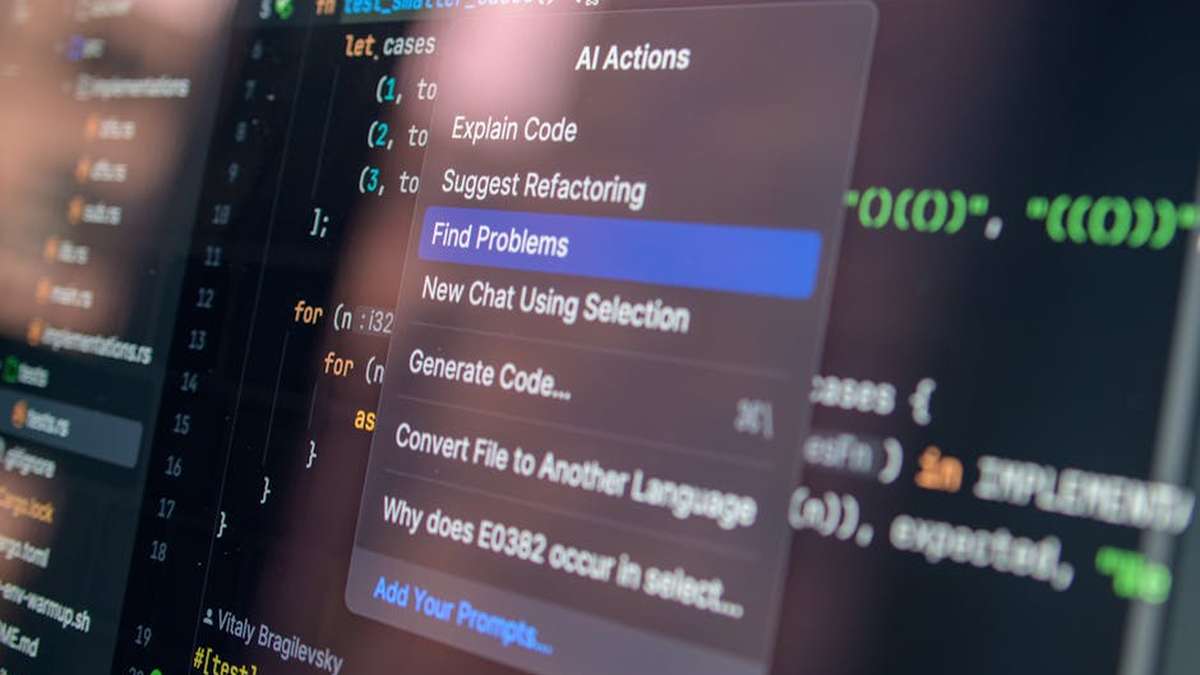
Introduction: Gaining an Edge with AI Automation
In the fiercely competitive landscape of US software development, speed, efficiency, and quality are not just buzzwords – they’re foundational pillars for success. As a pragmatic entrepreneur, you’re constantly seeking intelligent ways to optimize your operations, reduce costs, and accelerate time-to-market without compromising the end product. This is where Artificial Intelligence (AI) for automated code generation and testing steps in, offering a compelling strategic advantage.
AI isn’t a futuristic fantasy anymore; it’s a practical toolkit ready to be deployed. From generating boilerplate code to identifying complex bugs before they impact your users, AI-powered solutions can transform your development lifecycle. The goal isn’t to replace human ingenuity, but to augment it, freeing your valuable engineering talent to focus on innovation and complex problem-solving rather than repetitive, mundane tasks. Let’s explore how integrating AI can be a smart move for your business. Implementing Robotic Process Automation (RPA)
| Aspect | Traditional Development Approach | AI-Powered Development Approach |
|---|---|---|
| Code Generation | Manual coding, boilerplate writing, copy-pasting existing patterns. | AI assistants suggest lines, functions, or entire modules, reducing manual effort and boilerplate. |
| Testing Efficiency | Manual test case creation, script writing, often reactive bug fixing. | AI generates test cases, identifies visual regressions, suggests optimizations, and learns from previous failures. |
| Bug Detection | Primarily human code reviews, unit tests, and integration tests; can be slow. | AI assists in static code analysis, predicts potential vulnerabilities, and identifies subtle UI discrepancies. |
| Developer Productivity | Can be bogged down by repetitive tasks, context switching. | Developers spend less time on repetitive tasks, more on high-value design and complex logic. |
| Cost Implications | Higher human resource cost for repetitive tasks and extensive manual QA. | Initial tool investment, but potential for significant long-term savings in labor and faster delivery cycles. |
| Learning Curve | Mastering new frameworks, languages. | Learning to effectively prompt and integrate AI tools into existing workflows; less about coding syntax. |
AI-Powered Tools & Solutions to Consider
GitHub Copilot
A leading AI pair programmer developed by GitHub and OpenAI, designed to assist developers by suggesting code and entire functions in real-time within the IDE.
Key Features:
- Context-Aware Suggestions: Provides relevant code suggestions based on comments, function names, and surrounding code.
- Multi-Language Support: Works across a wide array of programming languages, frameworks, and APIs.
- Boilerplate Reduction: Significantly speeds up the creation of repetitive code structures.
- Test Generation: Can assist in generating unit tests for existing code functions.
Pros and Cons:
- Pros:
- Boosts developer productivity substantially for routine tasks.
- Excellent for learning new libraries or patterns by seeing suggested usage.
- Deep integration with VS Code and other popular IDEs.
- Cons:
- Generated code may sometimes be suboptimal or contain subtle bugs requiring review.
- Potential for generating code that replicates insecure patterns if not carefully monitored.
- Subscription cost can add up for larger teams.
Pricing Overview:
Typically offered as a monthly or annual subscription per user. A free trial is often available for evaluation. Special pricing for students and verified open-source contributors. The Impact of AI on
Amazon CodeWhisperer
Amazon’s AI-powered coding companion, offering real-time code recommendations directly in your IDE. It’s particularly strong for developers working within the AWS ecosystem.
Key Features:
- AWS Optimized Suggestions: Provides highly relevant code suggestions for AWS APIs, services, and best practices.
- Security Scans: Includes built-in security scans to help identify potential vulnerabilities in generated or existing code.
- Reference Tracking: Identifies if suggestions resemble publicly available code and provides a link to the original source.
- Multiple Language Support: Supports popular languages like Python, Java, JavaScript, C#, TypeScript, and more.
Pros and Cons:
- Pros:
- Exceptional value for teams heavily invested in the AWS cloud.
- Built-in security scans add an extra layer of code quality assurance.
- The personal tier is often free, making it accessible for individual developers or small teams.
- Cons:
- May not be as beneficial for projects with minimal AWS integration.
- Still maturing compared to some competitors in terms of breadth of non-AWS suggestions.
- Enterprise-level features might require a deeper commitment to the AWS ecosystem.
Pricing Overview:
Offers a free “Individual Tier” for personal use. An “Professional Tier” is available with enhanced features for organizations, typically priced per user per month. Automating Inventory Management with AI
Applitools Eyes (Visual AI Testing)
Applitools leverages AI-powered visual testing to ensure the pixel-perfect rendering and functional integrity of your application’s user interface across all browsers, devices, and resolutions.
Key Features:
- Visual AI Engine: Uses deep learning algorithms to detect visual regressions, layout issues, and functional bugs that traditional testing misses.
- Cross-Browser/Device Support: Validates UI across hundreds of combinations automatically.
- Root Cause Analysis: Pinpoints the exact CSS/DOM changes that caused a visual discrepancy.
- Automated Baseline Management: Intelligently updates baseline images as UI changes are approved.
Pros and Cons:
- Pros:
- Significantly reduces the time and effort for UI regression testing.
- Catches subtle visual bugs that humans often overlook.
- Integrates seamlessly with existing test frameworks (Selenium, Playwright, Cypress, etc.).
- Cons:
- Primarily focused on visual UI testing; not a comprehensive functional testing solution on its own.
- Initial setup and integration can require some developer effort.
- Pricing can be substantial for large enterprises with extensive testing needs.
Pricing Overview:
Offers various tiers based on usage (e.g., number of visual checks, test runs, users). Free trial and developer accounts are typically available, with custom enterprise pricing. Automating Data Migration from Legacy
Testim.io (AI-Powered Functional Testing)
Testim.io utilizes AI to create, execute, and maintain end-to-end functional tests, focusing on stability and reducing the burden of test maintenance.
Key Features:
- AI-Powered Locators: Intelligently identifies UI elements even if their attributes change, making tests more robust.
- Self-Healing Tests: AI automatically adapts test steps when minor UI changes occur, reducing test maintenance.
- Codeless & Coded Options: Allows both non-technical users to create tests visually and developers to extend with custom code.
- Integrations: Hooks into CI/CD pipelines, bug trackers, and source control systems.
Pros and Cons:
- Pros:
- Dramatically reduces test maintenance time, a common pain point in automation.
- Enables faster test authoring for functional and end-to-end scenarios.
- Empowers QA teams to write more stable tests without deep coding knowledge.
- Cons:
- Might require some learning curve to fully leverage AI features effectively.
- Can be an investment for smaller teams or those with very limited testing budgets.
- Complex, highly dynamic applications may still require expert intervention.
Pricing Overview:
Subscription-based, typically with different tiers based on the number of parallel test runs, users, and features. Custom enterprise plans are common. Predictive Analytics for Student Retention
Use Case Scenarios for Your Business
How can these AI tools translate into tangible benefits for your US-based software development operation?
- Rapid Prototyping & MVP Development: Use AI code generation tools to quickly scaffold new projects, generate boilerplate for microservices, or create UI components. This accelerates your time-to-market for Minimum Viable Products (MVPs), allowing faster validation of ideas.
- Legacy Code Modernization: When tackling older codebases, AI can help in understanding code, suggesting refactorings, and even generating initial unit tests for uncovered sections, reducing the risk and cost of modernization efforts.
- Automated UI/UX Regression: Deploy visual AI testing (e.g., Applitools) in your CI/CD pipeline. This ensures that every code commit doesn’t inadvertently break the user interface or introduce visual glitches across various browsers and devices, saving countless hours of manual review.
- Faster Test Creation & Maintenance: Empower your QA team with AI-powered functional testing (e.g., Testim.io). They can create robust end-to-end tests quickly, and the AI’s self-healing capabilities will dramatically cut down on the time spent fixing broken tests due to minor UI changes.
- Developer Onboarding & Skill Augmentation: AI code assistants can help new team members get up to speed faster on your codebase and best practices. They also act as a force multiplier, allowing less experienced developers to contribute more effectively.
- Security & Compliance Augmentation: Tools like Amazon CodeWhisperer with built-in security scans can catch common vulnerabilities early in the development cycle, reducing the cost and risk associated with security breaches and compliance failures.
Selection Guide: Choosing the Right AI Solution for Your Business
Making a smart investment in AI tools requires careful consideration. Here’s a pragmatic approach to evaluate potential solutions:
- 1. Identify Your Core Pain Points: Are you struggling more with slow code generation, flaky tests, extensive manual QA, or skill gaps? Prioritize the areas where AI can offer the most immediate and impactful relief.
- 2. Assess Your Existing Tech Stack & Ecosystem: Does your team primarily work in AWS? Are you a Microsoft shop? Do you use specific IDEs or CI/CD platforms? Look for tools that offer seamless integration with your current environment to minimize disruption.
- 3. Evaluate Specific AI Capabilities: Distinguish between AI for code generation (e.g., Copilot), AI for visual testing (e.g., Applitools), and AI for functional test automation (e.g., Testim.io). Some tools specialize, while others offer broader capabilities.
- 4. Consider Scalability & Team Size: Small teams might start with individual licenses and free tiers. Larger organizations will need enterprise-grade features, robust support, and clear scaling pathways for users and usage.
- 5. Budget & ROI: While AI tools are an investment, calculate the potential return. How much time will you save? How many bugs will you prevent? What’s the impact on developer satisfaction and retention? Look for clear pricing models and be wary of hidden costs.
- 6. Security, Privacy & Compliance: For US businesses, data security and compliance (e.g., GDPR, HIPAA if applicable) are critical. Understand how AI tools handle your code, intellectual property, and data. Ensure they align with your organizational security policies.
- 7. Ease of Adoption & Learning Curve: How easy is it for your team to learn and integrate the tool into their daily workflow? A steep learning curve can negate productivity gains. Look for good documentation, training resources, and active community support.
- 8. Vendor Reputation & Support: Choose reputable vendors with a track record of innovation and reliable customer support. A strong partner can make all the difference when encountering challenges.
Conclusion: A Strategic Investment, Not a Magic Bullet
Embracing AI for automated code generation and testing isn’t about chasing the latest trend; it’s about making a strategic, informed investment in your business’s future. These tools offer a powerful opportunity to boost your development team’s productivity, enhance code quality, reduce time-to-market, and ultimately, improve your bottom line. They allow your highly skilled engineers to move away from repetitive tasks and dedicate their expertise to innovation and complex problem-solving – the very things that differentiate your software in the market.
However, it’s crucial to approach AI with a pragmatic mindset. AI is a sophisticated tool, not a magic bullet. It requires human oversight, thoughtful integration, and continuous monitoring to ensure the generated code meets your standards and the automated tests accurately reflect your product’s requirements. There are no guarantees that every AI-generated line of code will be perfect or that every AI-identified bug will be critical. It’s about augmenting human capability, not replacing it entirely.
By carefully evaluating the tools, aligning them with your specific business needs, and integrating them thoughtfully into your development lifecycle, you can unlock significant efficiencies and gain a competitive edge in the dynamic US software development industry. Start small, experiment, and scale your AI adoption strategically to realize its full potential.
Related Articles
- Implementing Robotic Process Automation (RPA) for HR Onboarding in US Tech Startups.
- The Impact of AI on US Energy Grid Optimization and Renewable Resource Management.
- Automating Inventory Management with AI for Multi-Location Retailers Across the US.
- Automating Data Migration from Legacy Systems with AI for US Government Agencies.
- Predictive Analytics for Student Retention in US Higher Education Institutions.
How quickly can our US development teams expect to see a measurable ROI from integrating AI into code generation and testing workflows?
Organizations typically begin to see a tangible ROI within 3-6 months, primarily through accelerated development cycles, significant reduction in manual testing hours, and fewer post-release defects. Our solutions specifically target US development costs by optimizing resource allocation, freeing up engineers for complex problem-solving, and improving overall project velocity, leading to faster time-to-market and reduced operational expenditures.
What are the primary challenges and a typical implementation timeline for integrating AI code generation and testing tools into an existing US software development stack and culture?
Initial challenges often include seamless integration with legacy systems, data privacy considerations specific to US regulations, and ensuring team buy-in. A typical phased implementation for a mid-sized US development team can range from 4-8 weeks. This includes initial setup, custom model training with your codebase, pilot project integration, and comprehensive team training to ensure smooth adoption and maximum leverage of AI capabilities within your existing CI/CD pipelines.
How does AI ensure the generated code maintains high quality, security, and adherence to our specific US industry compliance standards, rather than introducing new vulnerabilities or technical debt?
Our AI models are trained on vast datasets of high-quality, secure code and continuously learn from developer feedback and best practices. They integrate directly with your existing static analysis tools and CI/CD pipelines to enforce coding standards, identify potential security flaws (e.g., OWASP Top 10 relevant to US contexts), and ensure compliance with industry-specific regulations like HIPAA or PCI-DSS through customizable rule sets and real-time validation. Human oversight remains crucial, allowing developers to review, refine, and approve AI-generated suggestions, thereby maintaining complete control and preventing technical debt.
Will adopting AI for code generation and testing replace our skilled US developers, or will it augment their capabilities and require significant upskilling?
Our AI solutions are designed to augment, not replace, your skilled US developers. The goal is to offload repetitive, mundane, and time-consuming tasks, allowing your team to focus on higher-value activities such as complex architectural design, innovative feature development, and critical problem-solving. While there will be a learning curve for using the new tools efficiently, it primarily involves understanding prompt engineering and review processes, rather than a fundamental shift in core development skills. We provide comprehensive training and support to ensure a smooth transition and empower your developers to be more productive and innovative.