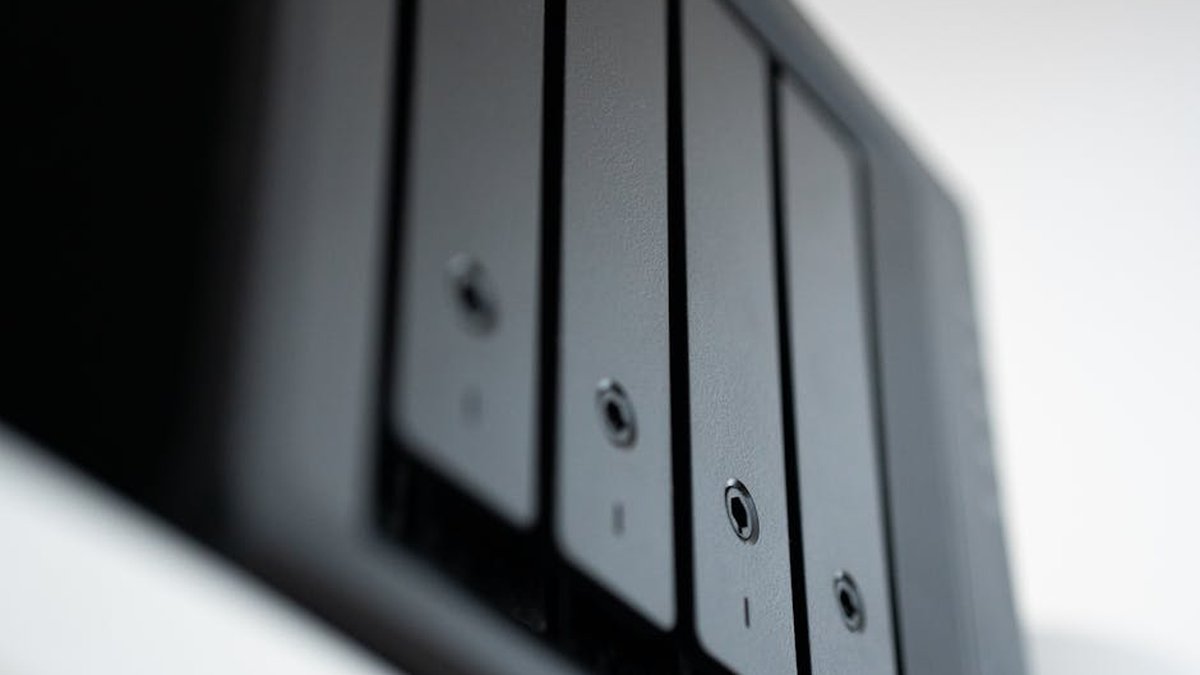
Introduction: Elevating Your Home Media Experience with NAS and Plex
In the evolving landscape of home entertainment, Network Attached Storage (NAS) devices have emerged as critical components for centralizing and streaming digital media. When paired with a robust media server solution like Plex, a NAS transforms into a powerful engine for delivering movies, TV shows, music, and photos to any device, anywhere. This analysis delves into the technical considerations for selecting a NAS for a home media server, specifically focusing on Plex compatibility—particularly the demands of transcoding—and the paramount importance of data redundancy to protect your valuable media library.
Our objective is to provide a data-driven perspective on two popular 2-bay NAS models, dissecting their capabilities, limitations, and suitability for various user profiles. We aim to equip you with the insights needed to make an informed decision, balancing performance, budget, and data integrity. Best USB-C Docks for M3
Product Overview
For this comparison, we will examine two representative 2-bay NAS units popular among home users for media server applications:
- Product A: Synology DS224+ – A highly regarded unit known for its user-friendly DiskStation Manager (DSM) operating system, robust software ecosystem, and efficient performance for general home use and 1080p media streaming.
- Product B: QNAP TS-264 – A more performance-oriented option, often chosen by users seeking greater processing power, faster networking, and enhanced expandability for demanding workloads, including 4K media transcoding.
| Feature | Synology DS224+ (Product A) | QNAP TS-264 (Product B) |
|---|---|---|
| Processor | Intel Celeron J4125 (4-core, 2.0 GHz base, 2.7 GHz burst) | Intel Celeron N5095/N5105 (4-core, 2.0 GHz base, 2.9 GHz burst) |
| RAM (Stock/Expandable) | 2GB DDR4 (Expandable to 6GB) | 4GB DDR4 (Expandable to 16GB) |
| Drive Bays | 2 (3.5″/2.5″ SATA HDD/SSD) | 2 (3.5″/2.5″ SATA HDD/SSD) |
| Max Raw Capacity | 36TB (2 x 18TB) | 36TB (2 x 18TB) |
| Network Ports | 2 x 1GbE RJ-45 (Link Aggregation support) | 2 x 2.5GbE RJ-45 (Link Aggregation support) |
| Plex Transcoding Capability | Hardware transcoding for H.264/H.265 (up to 1080p, limited 4K) | Hardware transcoding for H.264/H.265 (including 4K) |
| Drive Redundancy Options | RAID 0, 1, JBOD, Synology Hybrid RAID (SHR) | RAID 0, 1, JBOD |
| Operating System | DiskStation Manager (DSM) | QTS |
| Optional Expansion | No dedicated expansion slots | 1 x PCIe Gen 3 x2 slot (for 10GbE, NVMe SSDs, etc.) |
| Price Range (Diskless) | ~$300 – $350 USD | ~$350 – $450 USD |
Key Features Analysis
Processor (CPU): The CPU is the brain of your NAS and critically impacts Plex performance, especially for transcoding. Plex’s direct play capability streams media without modification, requiring minimal CPU. However, if your client device (e.g., an older smart TV, smartphone) does not support the media’s native format, the NAS must transcode it on the fly. This CPU-intensive process can cause stuttering if the processor is insufficient. Both the J4125 and N5095/N5105 processors feature Intel Quick Sync Video, a hardware transcoder that significantly offloads this task from the main CPU, making these models excellent choices for Plex. The N5095/N5105 in Product B offers a slight edge in raw CPU power and more robust 4K transcoding capabilities.
RAM: While 2GB is often sufficient for basic NAS operations and a single Plex stream, more RAM allows for smoother multitasking, more concurrent Plex streams, and better performance for other applications you might run. Product B’s higher stock RAM and greater expandability provide a significant advantage for heavier usage scenarios. Premium Ergonomic Keyboards for Programmers:
Network Ports: Standard 1GbE (Gigabit Ethernet) ports are adequate for most home networks and can handle multiple 1080p or even a single 4K direct stream. Product A’s dual 1GbE ports allow for link aggregation, potentially increasing theoretical bandwidth to 2Gbps and improving fault tolerance. Product B’s dual 2.5GbE ports offer a substantial upgrade, providing 2.5 times the bandwidth of 1GbE per port, which is beneficial for multiple high-bitrate 4K streams, faster file transfers, and future-proofing your network. Sony WH-1000XM5 vs. Bose QuietComfort
Drive Bays and Redundancy: Both units offer 2 drive bays, suitable for RAID 1 (mirroring) or RAID 0 (striping). RAID 1 is highly recommended for media servers as it provides data redundancy: if one drive fails, your data remains accessible on the other drive. Product A’s Synology Hybrid RAID (SHR) offers a flexible and user-friendly way to manage drive redundancy, often more efficiently than traditional RAID 1, especially when mixing drive sizes. While 2-bay units provide basic redundancy, they only protect against a single drive failure. For higher fault tolerance, users might consider 4-bay or larger NAS devices. Obsidian vs. Roam Research for
Pros and Cons
Synology DS224+ (Product A)
- Excellent, intuitive DiskStation Manager (DSM) operating system, ideal for beginners.
- Strong software ecosystem with numerous first-party and third-party apps.
- Reliable hardware transcoding for 1080p Plex streams.
- Lower power consumption compared to more powerful units.
- Synology Hybrid RAID (SHR) simplifies drive management and redundancy.
- Less powerful CPU for multiple concurrent 4K transcodes.
- Limited RAM expandability (up to 6GB).
- Only 1GbE network ports; no 2.5GbE or 10GbE option.
- No PCIe expansion slot for future upgrades.
QNAP TS-264 (Product B)
- More powerful Intel Celeron N5095/N5105 processor, superior for 4K transcoding.
- Higher RAM expandability (up to 16GB), better for demanding applications.
- Dual 2.5GbE network ports for faster data transfer and multiple high-bitrate streams.
- PCIe Gen 3 x2 slot for adding 10GbE cards, NVMe SSDs, or other expansion cards.
- HDMI output for direct media playback or acting as a desktop PC (via QTS apps).
- QTS operating system has a steeper learning curve for new users.
- Potentially higher power consumption due to more powerful hardware.
- Less polished and cohesive software ecosystem compared to Synology DSM (subjective).
- Higher upfront cost.
Who Should Buy
- Synology DS224+ (Product A):
- First-time NAS users prioritizing ease of setup and use.
- Users primarily streaming 1080p content via Plex with occasional 4K direct play.
- Those who value a robust, user-friendly software ecosystem for backups, file sync, and other utilities.
- Budget-conscious buyers looking for reliable performance without high-end features.
- QNAP TS-264 (Product B):
- Tech-savvy users comfortable with more advanced configurations.
- Users frequently streaming or transcoding 4K content, especially with multiple concurrent streams.
- Those requiring faster network speeds (2.5GbE or future 10GbE via PCIe).
- Users who want future expandability (PCIe slot for NVMe cache, 10GbE, etc.).
- Individuals planning to run more virtual machines or containers.
Who Should Avoid
- Synology DS224+ (Product A):
- Users needing robust 4K multi-stream transcoding capabilities for clients that require it.
- Those who require network speeds beyond 1GbE out-of-the-box or via expansion.
- Power users who frequently run virtual machines or complex Docker containers.
- QNAP TS-264 (Product B):
- Absolute beginners to NAS who prefer a “set it and forget it” experience without much configuration.
- Users for whom ultra-low power consumption is the absolute top priority.
- Those on a very strict budget who do not foresee needing the advanced features.
Pricing Insight
The initial purchase price of the NAS enclosure is only one part of the total cost of ownership. Hard drives represent a significant additional investment. For a 2-bay NAS, you’ll need at least two drives for RAID 1 redundancy. Enterprise-grade or NAS-specific drives (e.g., Western Digital Red, Seagate IronWolf) are recommended for their reliability and optimized firmware. A 2-bay NAS with two 8TB drives can easily cost upwards of $600-$800 USD total. Expect the more powerful QNAP TS-264 to command a premium, typically $50-$100 more than the Synology DS224+, reflecting its enhanced hardware specifications. Prices can fluctuate based on sales, promotions, and regional availability.
Alternatives
While Synology and QNAP dominate the consumer NAS market, other viable alternatives exist:
- TerraMaster: Offers competitive pricing and decent hardware, often running a Linux-based OS that can support Plex.
- Asustor: Provides a good balance of features and performance, with their own ADM operating system.
- DIY NAS (e.g., unRAID, TrueNAS Scale): For the most technically proficient, building a custom PC with server software offers ultimate flexibility and power, often at a lower hardware cost (excluding time investment). This approach, however, requires significant technical expertise to set up and maintain.
Buying Guide: Key Considerations
- CPU Power & Plex Transcoding: Evaluate your primary media format (1080p vs. 4K) and the number of simultaneous streams you anticipate needing to transcode. Look for CPUs with Intel Quick Sync Video.
- RAM: Consider if the stock RAM is sufficient for your current and future needs. More RAM means better multitasking. Expandability is a plus.
- Network Connectivity: 1GbE is fine for many, but 2.5GbE or even 10GbE (via expansion) is crucial for large file transfers or multiple high-bitrate 4K streams.
- Drive Bays & Redundancy: For a media server, 2 bays are the minimum for RAID 1. If you foresee needing more storage or greater fault tolerance, consider 4+ bay units.
- Operating System & Ecosystem: Synology DSM is renowned for user-friendliness; QNAP QTS offers more depth and customization. Consider which aligns with your technical comfort level.
- Budget: Factor in not just the NAS unit but also the cost of suitable hard drives.
- Expandability: Do you need PCIe slots for future upgrades (e.g., faster networking, NVMe cache)?
Conclusion
Choosing the right NAS for your home Plex media server boils down to understanding your specific needs, technical comfort, and budget. For those prioritizing ease of use, a polished software experience, and reliable 1080p streaming, the Synology DS224+ (Product A) stands out as an excellent choice. Its robust DSM ecosystem and efficient operation make it a strong contender for the average home user.
Conversely, if you’re a power user, frequently deal with 4K content that requires transcoding, demand faster network speeds, and value the flexibility of future hardware upgrades, the QNAP TS-264 (Product B) offers a compelling package. Its more potent processor, superior network capabilities, and PCIe slot position it for more demanding and evolving media server applications. Entry-Level Mirrorless Cameras for Vlogging:
Ultimately, both devices are capable Plex servers, but their strengths cater to different user profiles. Align your choice with your personal requirements to unlock the full potential of your home media experience.
No Guarantees: The information provided in this article is for general informational purposes only and is based on publicly available specifications and common user experiences. Product specifications, pricing, and features are subject to change by manufacturers without notice. Individual performance may vary based on specific usage patterns, network conditions, drive selection, and software configurations. This analysis does not constitute professional advice, and readers are encouraged to conduct their own research and consult official product documentation before making a purchase decision. We make no warranties, express or implied, regarding the accuracy, completeness, or reliability of this information.
Related Articles
- Best USB-C Docks for M3 MacBook Pro Users: Port Selection and Power Delivery Analysis
- Premium Ergonomic Keyboards for Programmers: Cherry MX vs. Topre Switches
- Sony WH-1000XM5 vs. Bose QuietComfort Ultra Headphones: Noise Cancellation and Sound Quality Battle
- Obsidian vs. Roam Research for Knowledge Management: A US Productivity Deep Dive.
- Entry-Level Mirrorless Cameras for Vlogging: Image Stabilization and Audio Focus
What are the key hardware specifications to look for in a NAS to guarantee smooth 4K Plex transcoding and support multiple simultaneous streams?
To ensure seamless 4K transcoding and support for several concurrent users, prioritize a NAS with a powerful CPU, ideally an Intel Celeron J series (J4125 or newer) or an Intel Core i3/i5/i7 for more demanding needs, or AMD Ryzen processors. Crucially, look for integrated graphics with hardware transcoding capabilities like Intel Quick Sync Video, which significantly offloads the CPU. Aim for at least 4GB of RAM, with the option to upgrade, as more RAM can improve overall system responsiveness.
For a home media server, what’s the optimal drive redundancy strategy to protect my media library without sacrificing too much usable storage or budget?
The optimal strategy depends on your budget and acceptable risk. For two drives, RAID 1 (mirroring) offers data protection by duplicating data on both drives, but you only get 50% usable capacity. For three or more drives, RAID 5 is generally recommended for home media servers; it provides a good balance of protection (tolerates one drive failure) and efficient storage (you lose the capacity of one drive). Proprietary solutions like Synology Hybrid RAID (SHR) offer similar benefits with greater flexibility for mixed-size drives. Always factor in the cost of extra drives for redundancy vs. your total storage needs.
When choosing a NAS, how do I decide between models based on their operating system and software ecosystem for media management beyond just Plex?
Your decision should be based on user-friendliness, feature set, and integration with other services. Synology’s DSM (DiskStation Manager) is renowned for its intuitive interface, robust app ecosystem (including Photo Station, Video Station, Download Station), and strong community support, making it excellent for beginners. QNAP’s QTS offers similar functionalities with more advanced networking and virtualization options, often appealing to users who want deeper control or run specialized applications. Consider which ecosystem better aligns with your technical comfort level and future potential needs beyond just Plex.
How many drive bays should I prioritize in a NAS to ensure sufficient storage and flexibility for future growth of my media library?
While a 2-bay NAS can provide redundancy (e.g., RAID 1), it offers limited room for future expansion without replacing existing drives with larger ones. For a growing media library, a 4-bay NAS is often the sweet spot. It allows for RAID 5 (single drive redundancy) with three drives, leaving a bay for future expansion, or starting with RAID 5 across all four for significant storage and redundancy. More bays (6-bay or 8-bay) offer even greater long-term scalability and redundancy options (like RAID 6 for two-drive failure tolerance), though at a higher initial cost.